One assistant for your customers, one portal for your team, and one Telegram chat for the owner. Each feature is marked with its real status. Features still to come are listed at the end, separately.
Available working now, in a pilotNeeds Meta approval built and tested; Meta must approve it before the general public can use itTelegram / API only no portal screen yet
Business knowledge
Answers from your information, not from guesswork. Available
SiteIQ reads your website and uses the answers you write yourself for the questions customers ask most. Your own answers come first. Products, projects and services live in a product list with their prices.
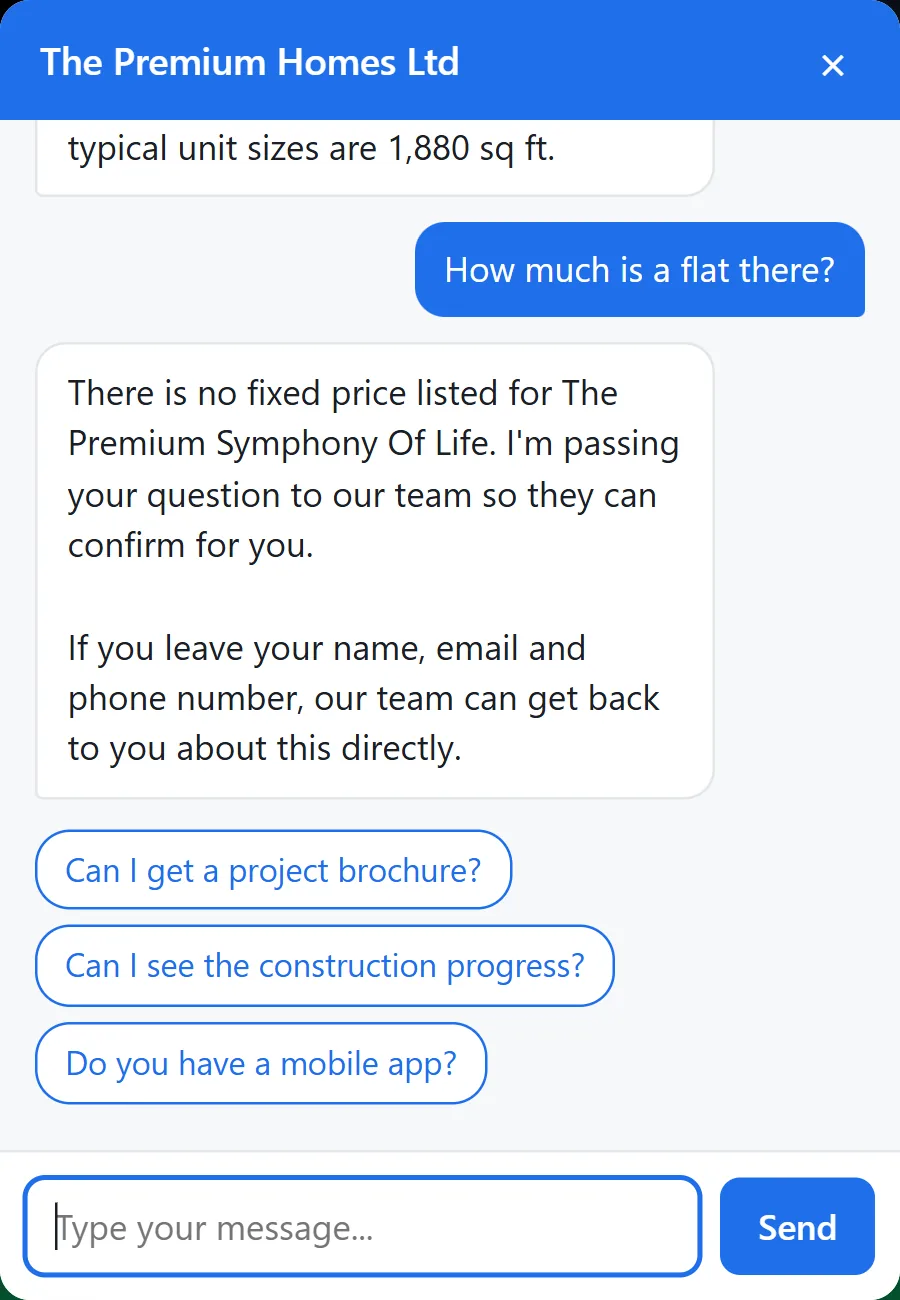
Prices only from your product list. If an item has no price, the assistant says it cannot confirm one and passes the question to your team.
Only confirmed details. Your address, opening hours and similar facts are told to customers only after you have confirmed them.
Facts are looked up, not written by the AI. Prices, stock and order status are read from your records and shown as they are. The AI only phrases the rest.
Never "sold out" unless you said so. Stock you haven't entered is unknown, not zero: the assistant won't turn a customer away, and the order page still takes the order for you to confirm.
Links that work on every channel. Order pages and other links reach customers intact on the website chat, Messenger, WhatsApp and Telegram.
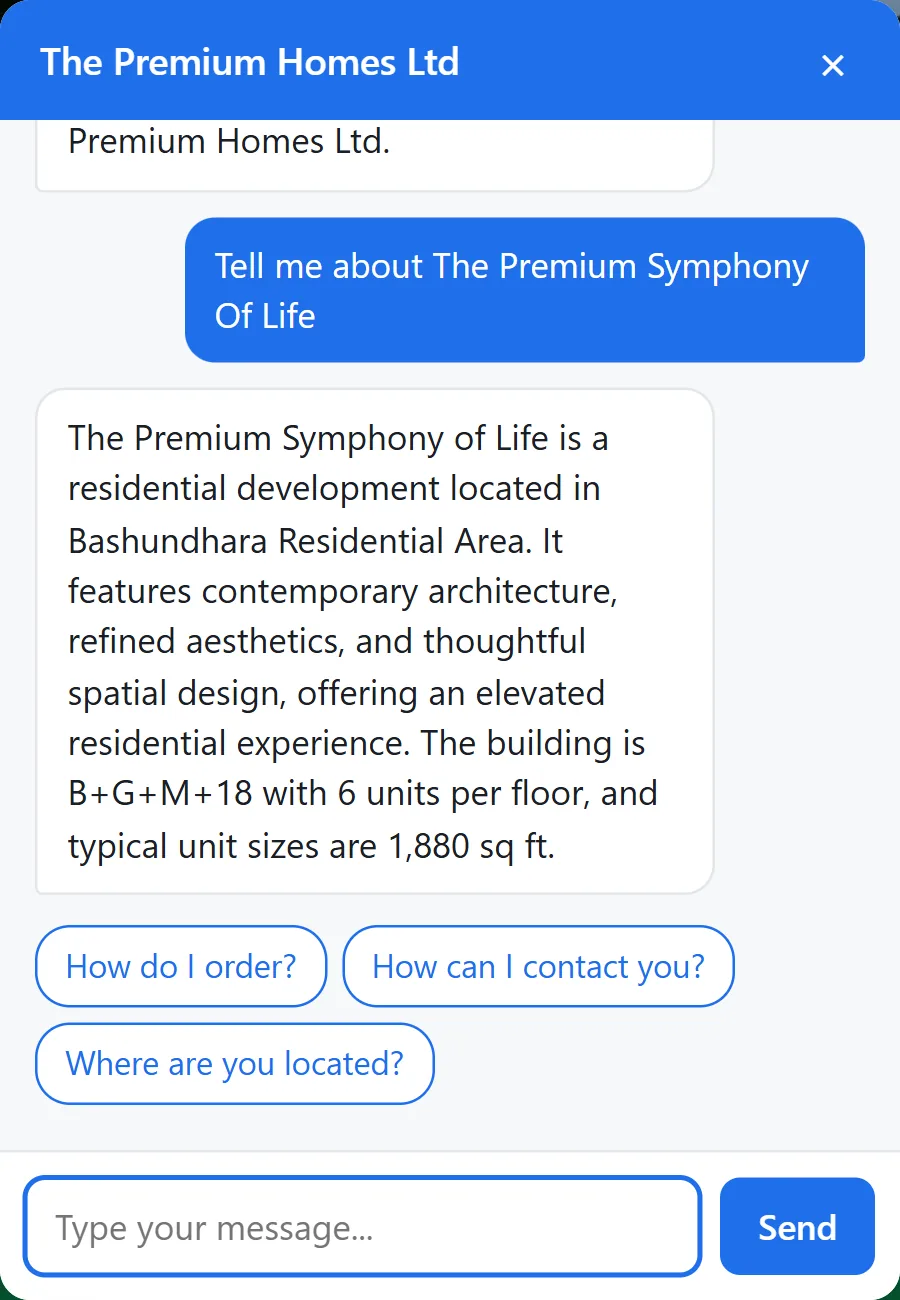
No price in the list, so no price in the answer. Project facts come from the website.
Channels
The same assistant on every channel.
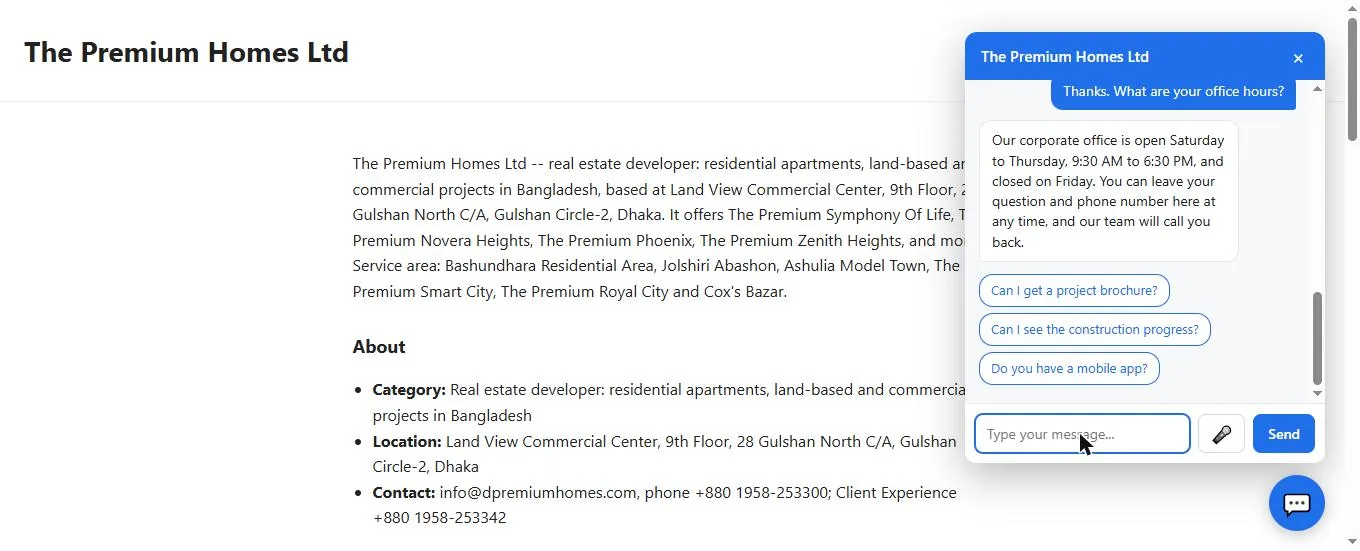
Website chat: one line of code for your web designer, and the chat bubble appears on your site. You choose which websites may show it. Available
Your own chat page: a public page at siteiq.space/c/your-business that you can share anywhere, even without a website. Available
Voice: customers can press the microphone on the website chat and speak in Bangla or English. What they say is turned into text; no recording is kept. Available
Telegram: connect your own Telegram bot in the portal, and customers who message it get the same assistant. Available
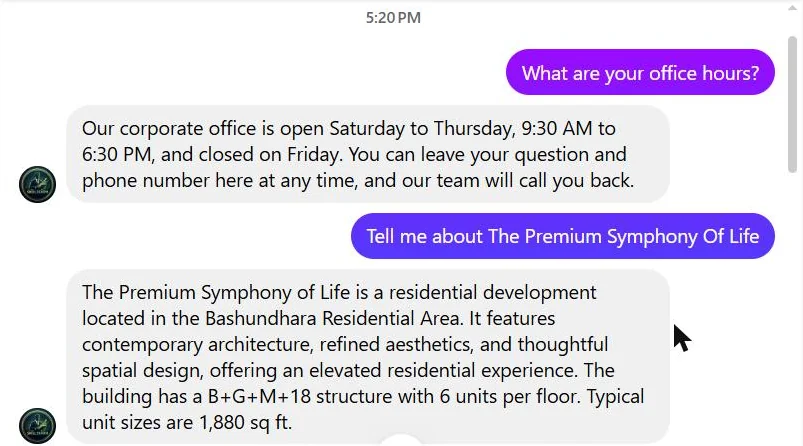
Facebook Messenger: the assistant answers your Page's Messenger inbox, and stops when someone from your team replies there. Needs Meta approval
WhatsApp: the assistant answers on your WhatsApp Business number through Meta's Cloud API, set up for you by SiteIQ. Needs Meta approval
All at once: a comment under your post and a Messenger message arriving together are answered side by side; one slow answer never holds up the others.
About Messenger and WhatsApp. Both work today for accounts we add to SiteIQ's Meta app for testing. Before any business can use them with the general public, Meta has to approve SiteIQ's app, and we have not submitted it for review yet. For WhatsApp you also need a WhatsApp Business account and number. Meta's rules apply: a business may reply freely only within 24 hours of the customer's last message, and Meta may charge for WhatsApp conversations.
A business's own chat page, shareable without a website.The same assistant on Facebook Messenger.
Human hand-over
The assistant knows when to step aside. Available
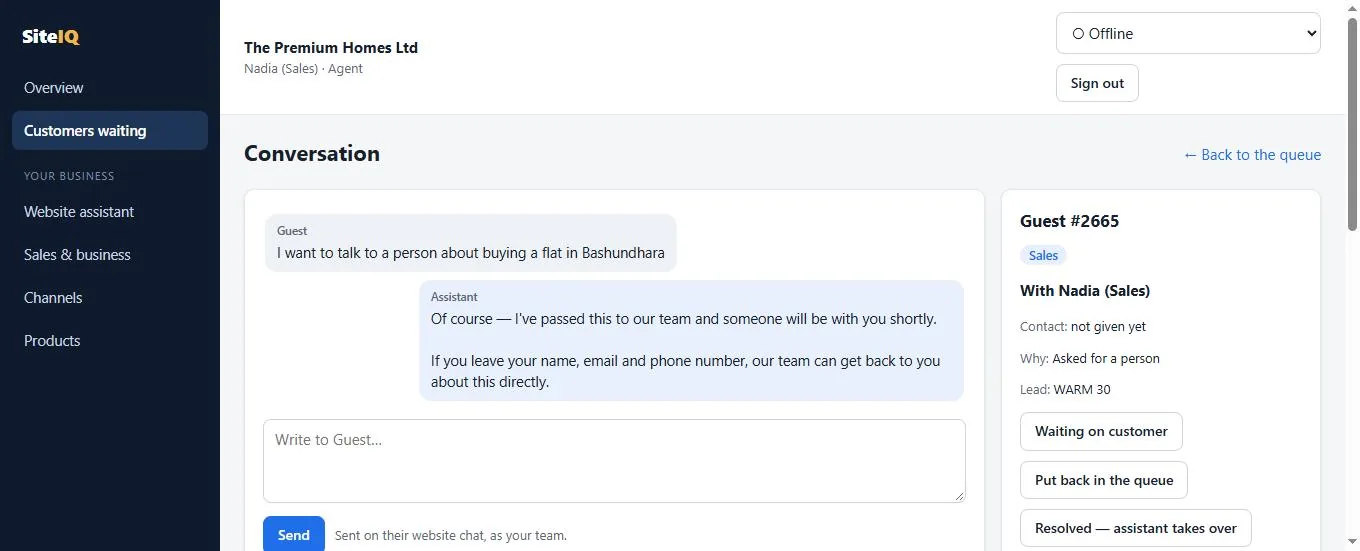
A customer is handed to your team when they ask for a person, want to talk about price or a discount, complain, ask something the assistant cannot answer, or are ready to buy. Each reason goes to the department you chose for it.
One-click claim, one owner. If two colleagues press Claim at the same moment, only one gets the customer; the other sees who has it.
The assistant keeps helping while the customer waits, and tells them their request is with the team.
It goes quiet once a person joins. When your colleague is done, they hand the conversation back to the assistant.
3-minute reply rule. If the person holding a customer doesn't answer for 3 minutes, the customer goes back to the queue, the department is alerted, and the assistant replies in the meantime.
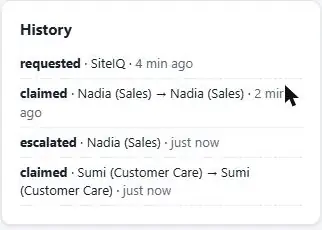
A full history of who claimed, moved, released and resolved each customer.
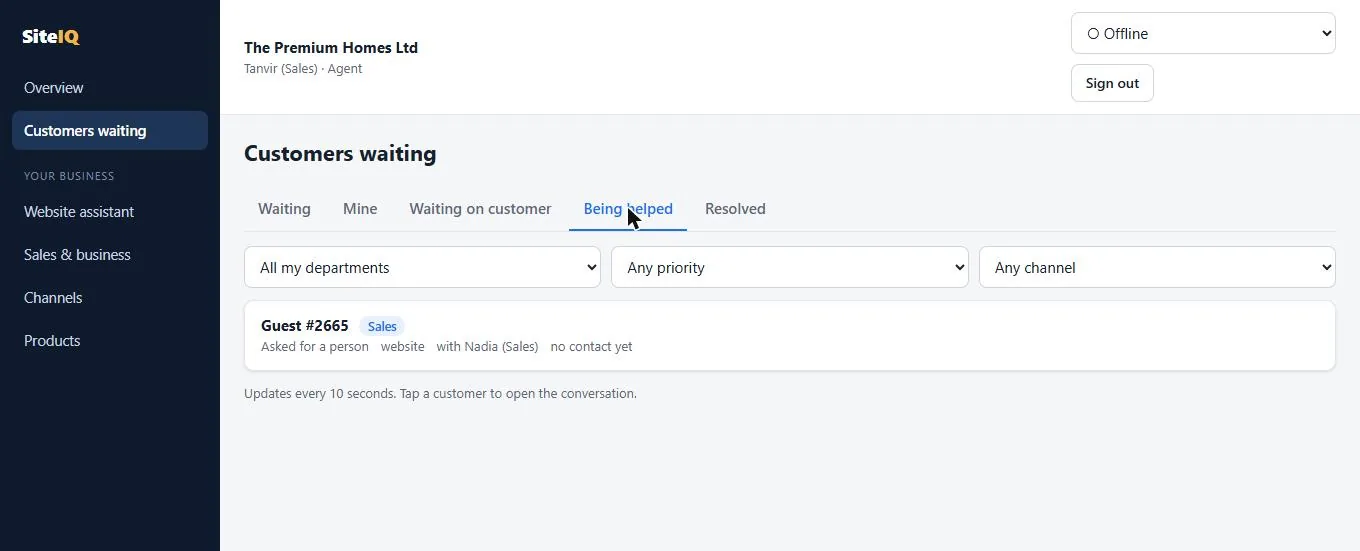
Nadia from Sales has claimed the customer.Her colleague sees the customer is already being helped.Every step is recorded.
Team portal
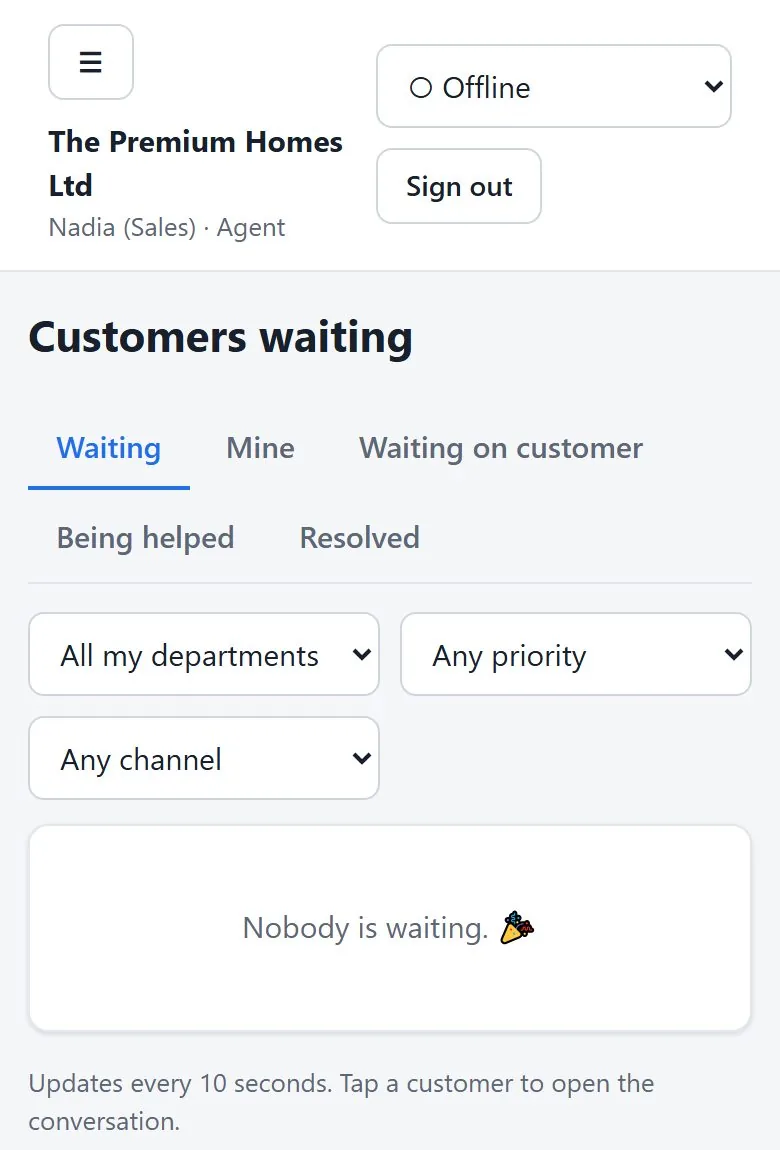
A shared queue your whole team can work from, on a computer or a phone. Available
The portal runs in the browser: nothing to install. It shows who is waiting, who is being helped and what was resolved, with filters by department, priority and channel.
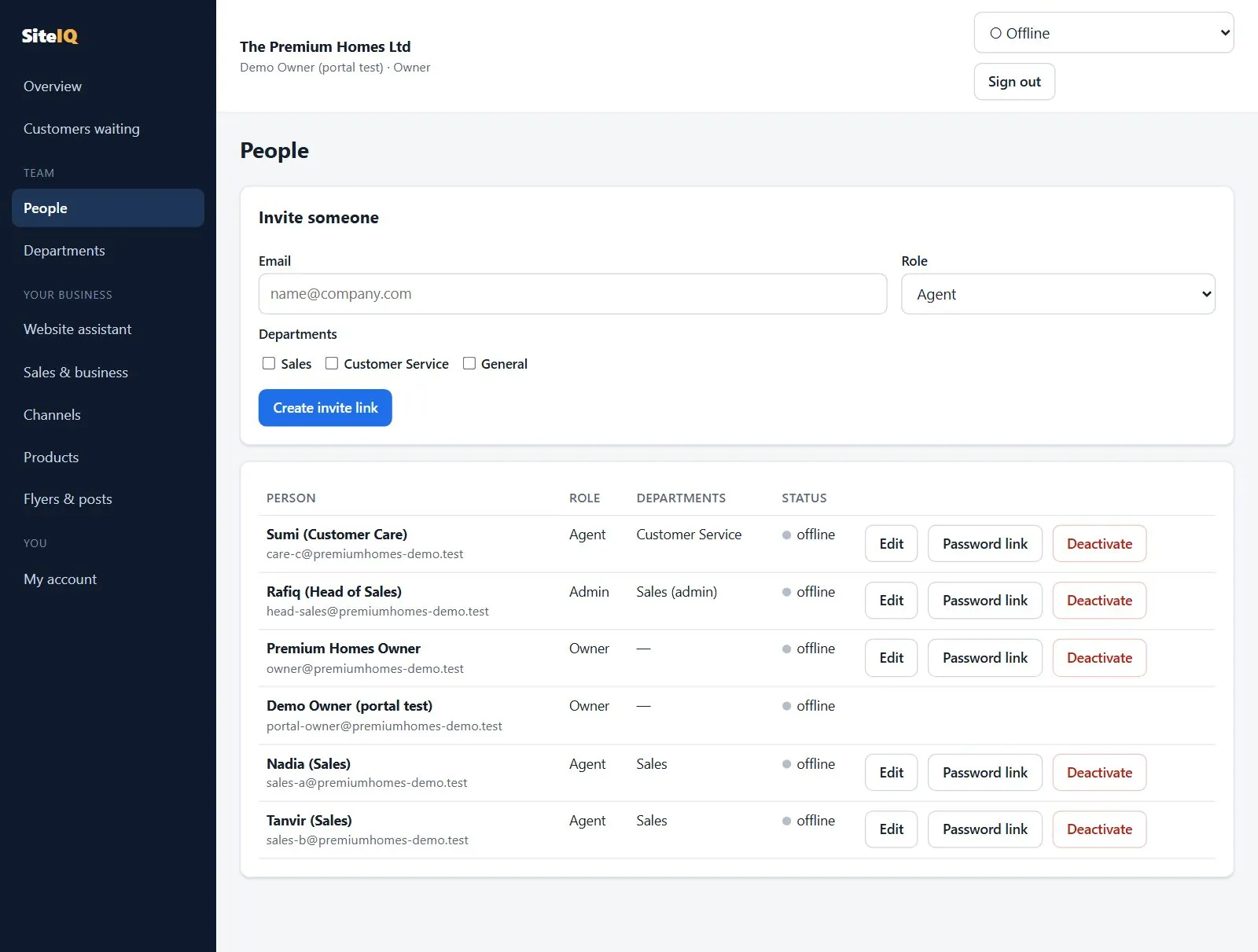
Four roles: Owner, Admin, Agent and Viewer. Agents see the queues of their own departments; viewers can look but not act.
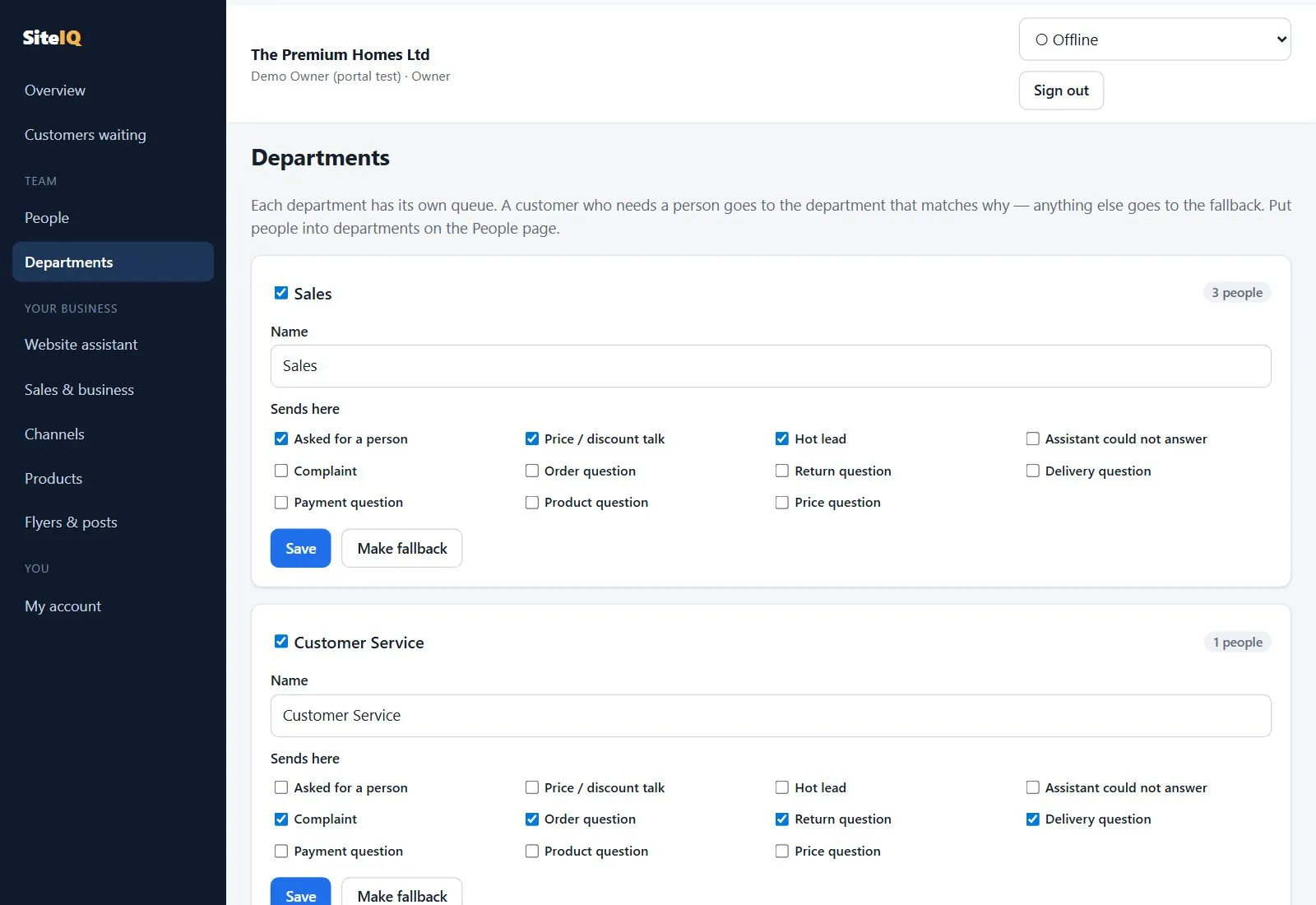
Departments such as Sales and Customer Care, each with the hand-over reasons it handles.
Invite by link. There is no public sign-up, so outsiders cannot join your team.
Settings in one place: greeting, voice, allowed websites, selling style, business details and products.
Telegram alerts for each person, with a Claim button.
Invite colleagues and choose their role and departments.
Departments and their reasons.The queue on a phone.
Leads
Know who is ready to buy, and why. Available
Every conversation gets a lead score and a sales stage from a fixed set of rules, never from the AI's opinion. The same conversation always gets the same score, so you can see exactly why a lead is warm or hot.
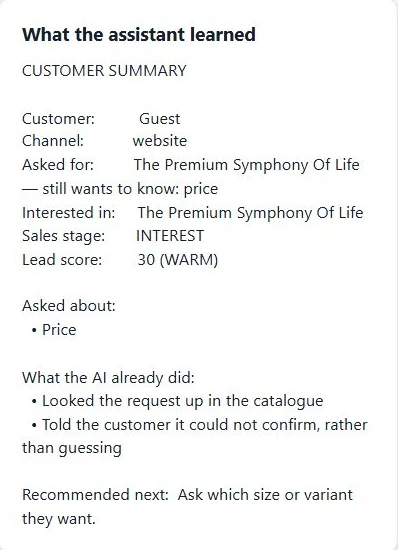
A summary for your team: what the customer asked for, what the assistant already did, and the recommended next step
Customer contact details captured when they leave them
Hot leads alerted to the owner on Telegram
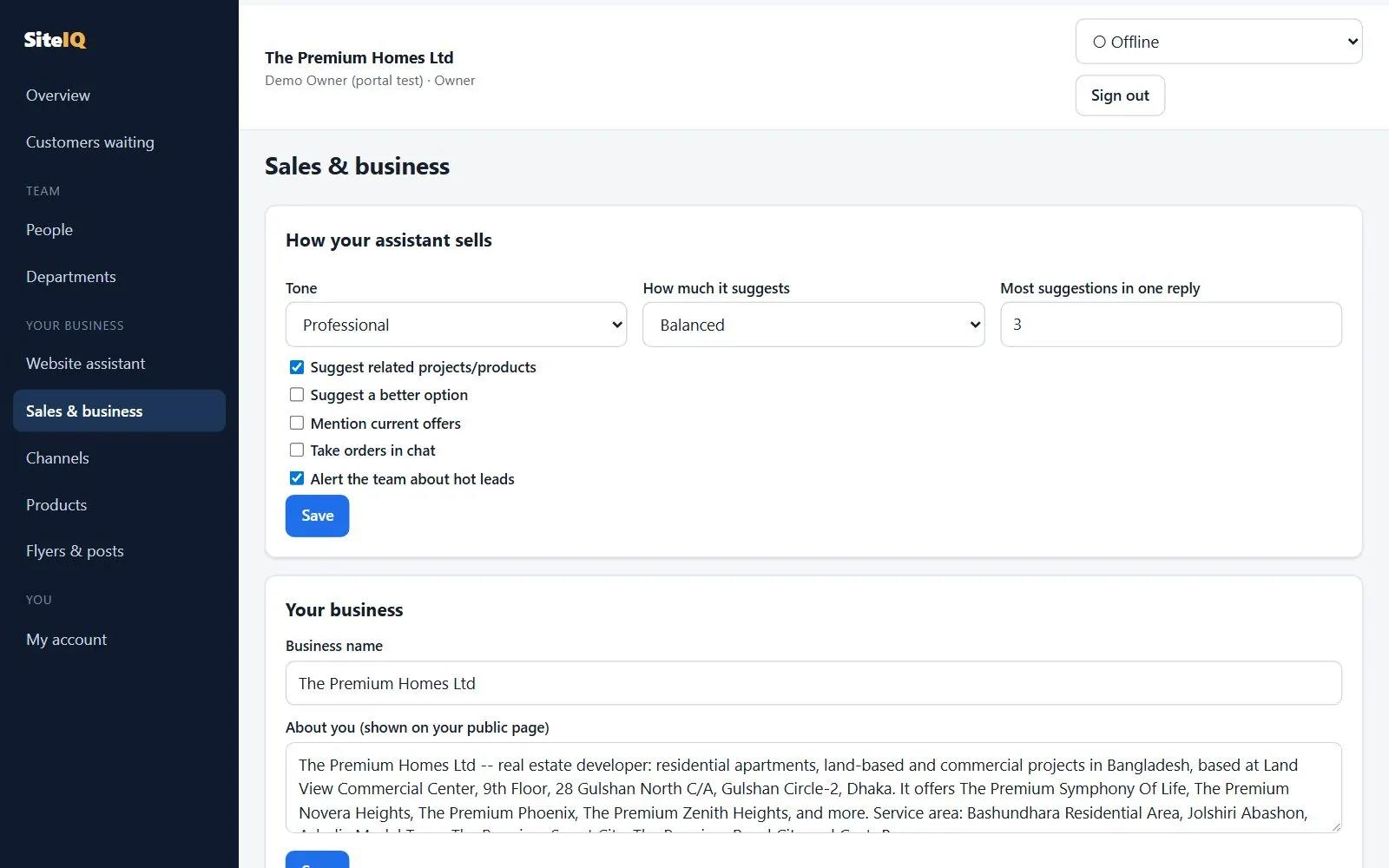
Selling style you control: tone, how much it suggests, related items and current offers
What your team sees about each customer.You set how the assistant sells.
Owner assistant
Run the shop from Telegram. Available
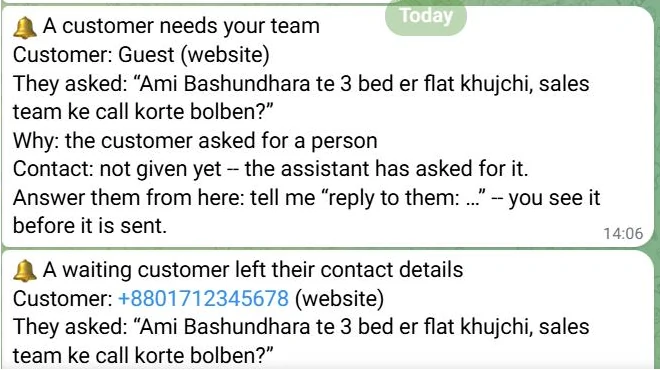
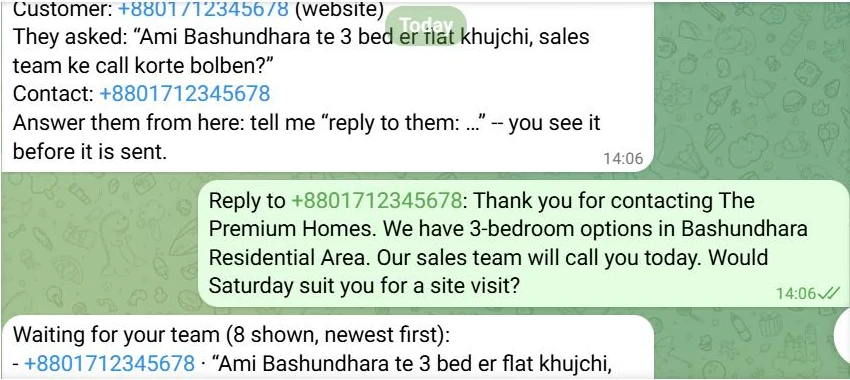
The owner chats with SiteIQ's own assistant on Telegram. It alerts you when a customer needs your team, when a hot lead appears and when a waiting customer leaves their contact. You can list who is waiting, answer a customer by replying to the alert, and propose a new FAQ answer for customers.
Reads, such as "who is waiting?", happen straight away
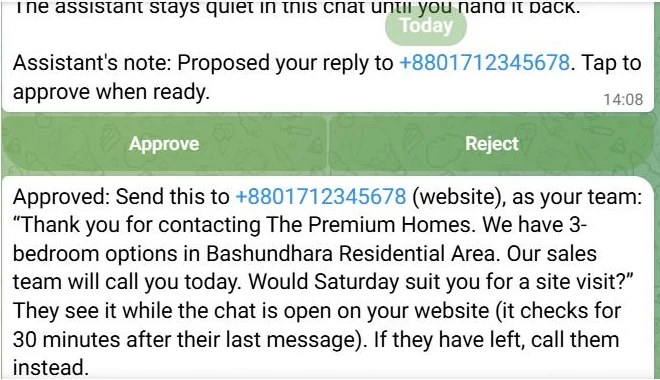
Anything that changes your business is a proposal you approve with a tap
Each colleague links their own Telegram; agents get a simple mode with no AI in the loop
1. An alert: a customer needs your team.2. The owner answers the customer from Telegram.3. Nothing is sent until the owner taps Approve.
Orders, returns and tickets
The after-sale questions, answered from your records. Telegram / API only
SiteIQ keeps orders, return and exchange requests, and support tickets. Customers can ask where their order is, and the answer comes from the order record. The owner can manage them from Telegram, and every change needs approval.
Limits today: there are no portal screens for orders, returns or tickets yet; they are handled through the owner assistant on Telegram and SiteIQ's API. Orders come from the order page, live selling or your team, not imported from an online shop. Online payment is described above.
What is included
Order status answered from the order record
Return and exchange requests
Simple support tickets (not a full helpdesk)
Owner approval for every state change
Social commerce
From a Facebook comment to a paid order, with you in control. Available
Tag your Facebook posts with the products they show. When someone comments "price?" or "XL ache?", they get one private Messenger reply with the price from your product list and the sizes in stock Needs Meta approval. When they want to buy, the assistant sends a private order page: they choose the size and quantity, see the total, and pay online or choose cash on delivery.
The same on your website chat, Facebook Messenger, WhatsApp and Telegram
"Anything cheaper?", "other colours?", "for kids?" answered with real products in stock
The total always comes from your product list; the customer cannot change it
The order page the customer gets.Paid, and confirmed with the payment provider.
Payments
bKash, Nagad, Rocket and cards, into your own account. Test mode until your EPS account is approved
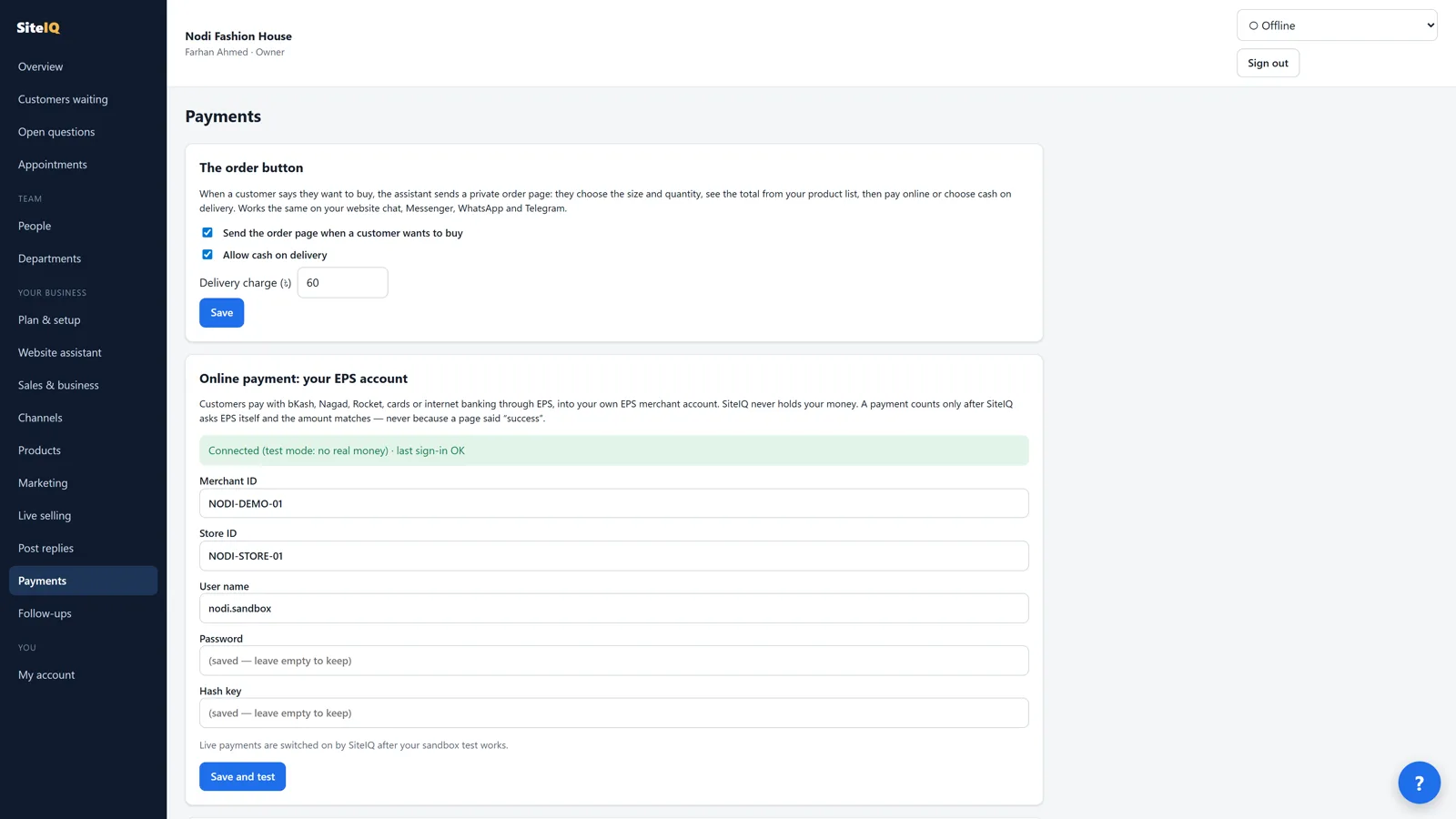
Online payment runs through EPS (Easy Payment System) on your own EPS merchant account, so SiteIQ never holds your money. A payment counts only after SiteIQ checks it with EPS itself and the amount matches, never because a page said "success". You see every payment in the portal and get a Telegram message when one arrives.
Limits today: each business needs its own EPS merchant account (apply at eps.com.bd). It starts in EPS's test mode; live payments are switched on per business after the test works. Refunds are made in the EPS merchant panel. SiteIQ's commission is recorded for a monthly statement and is never taken from your payments.
Payments in the portal.
Ask the shop
When the assistant doesn't know, it asks you, and keeps the customer. Available
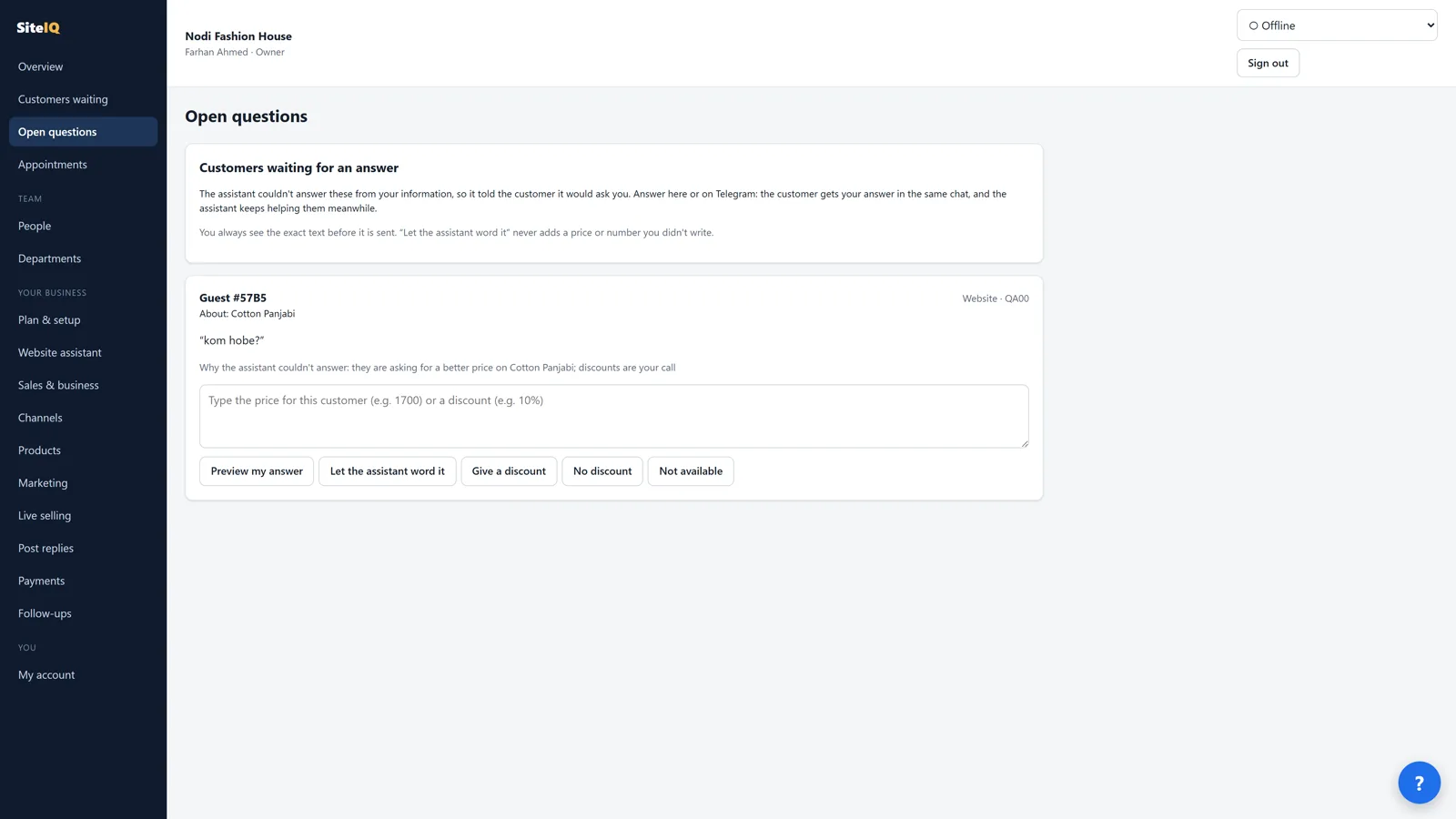
A product with no price, a question your information doesn't answer, or a customer asking "kom hobe?": the assistant tells them it has passed the question to you and keeps helping them meanwhile. You get one Telegram card: answer in your own words, let the assistant word it, set the price (saved to your product list), give a discount for that customer, or take the chat yourself.
You see the exact text before anything is sent
The assistant's wording is refused if it adds a number you didn't write
A discount is for that customer only, unless you make it the new price for everyone
A discount request, waiting for your decision.
Your discount, your rules
The assistant offers the discount you allowed, and no more. Available
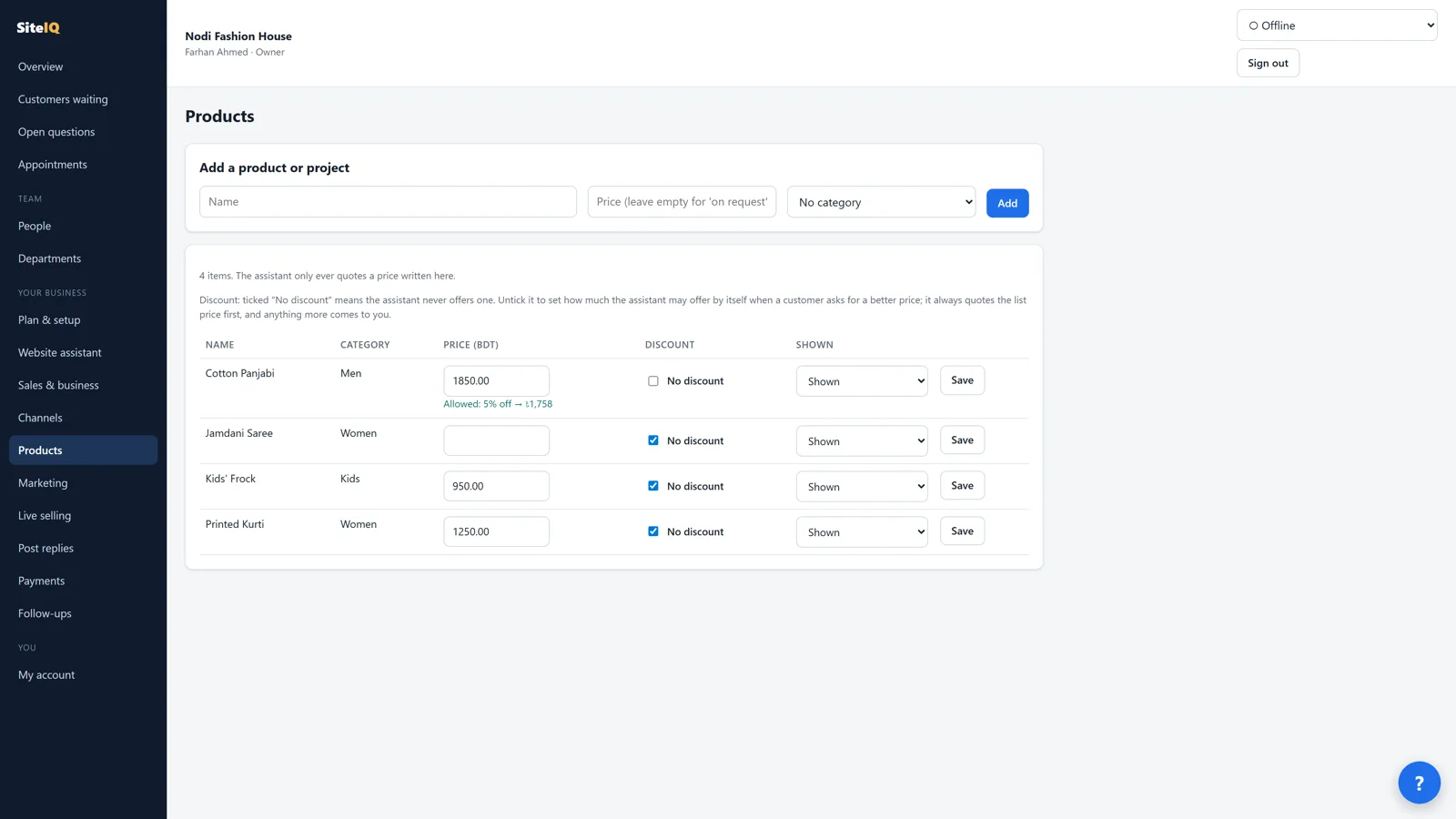
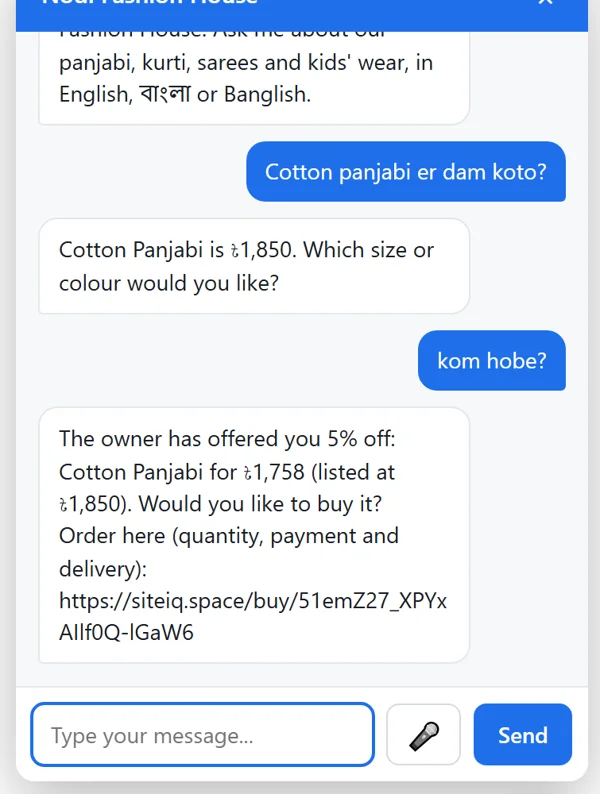
Every product starts with "No discount" ticked. Untick it and say how much the assistant may offer, as a percent or in taka; it shows beside the price. The assistant always quotes the list price first. When a customer says "kom hobe?" or "too expensive", it offers your discount itself, with the order button, and that is the price their order page charges. If they want more, it comes to you on Telegram.
Set it on the Products page, or from Telegram right after you set a price
Offered once per customer and product, never invented
Tick "No discount" again any time
The discount you allow, beside the price.List price first, then your offer.
Setting up
Set up on Telegram, step by step, or in the portal. Available
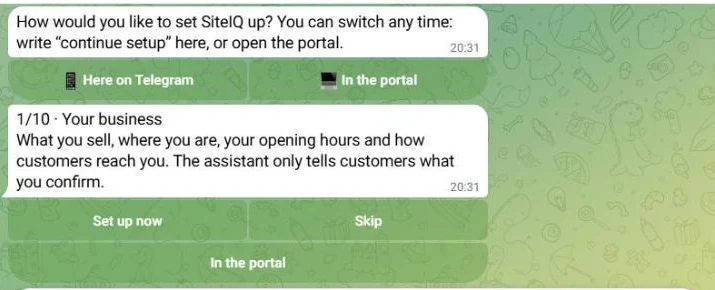
When you link your Telegram, SiteIQ asks how you want to set up. On Telegram it walks you through your business, products, website chat, Facebook Page, marketing, the order button, appointments, your team and follow-ups, one step at a time: set it up now, skip it, or open it in the portal. Anything that needs a password, like your EPS account, is done in the portal, never typed into a chat.
Write "continue setup" any time to pick up where you left off
Prefer the portal? You get its pages with links, in a sensible order
Your choice, right after linking Telegram.
Appointments
Viewings, visits and bookings, confirmed by a person. Available
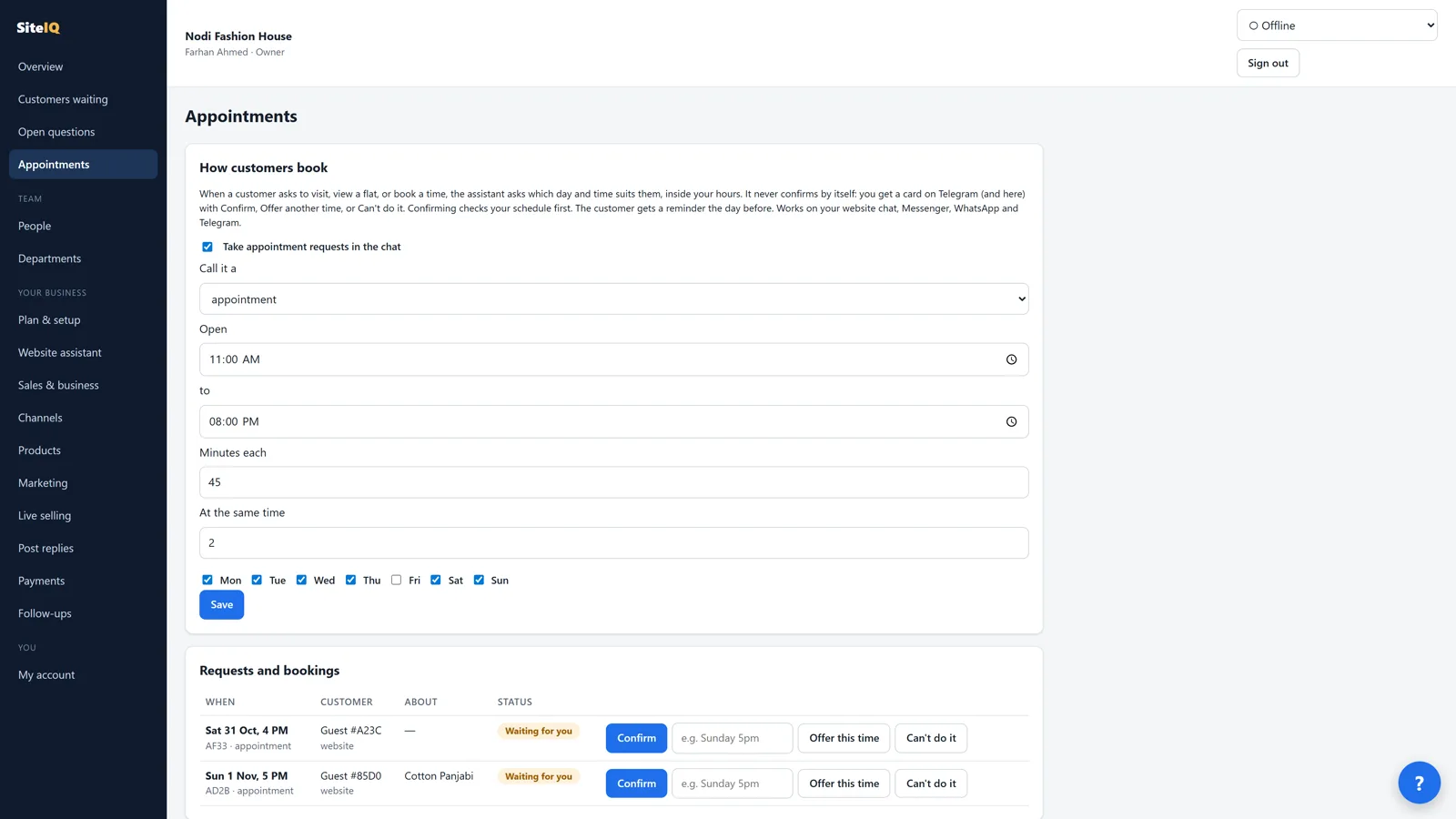
When a customer asks to see a flat, visit the shop or book a time, the assistant asks which day and time suits them, inside your hours, in Bangla, Banglish or English ("kal bikel 4ta" works). It never confirms by itself: you tap Confirm, offer another time, or say you can't. Confirming checks your schedule for clashes, and the customer gets a reminder the day before.
Your days, hours, length of each appointment and how many at once
The same card on Telegram and in the portal
Afterwards, mark whether it happened
Appointment requests in the portal.
Content
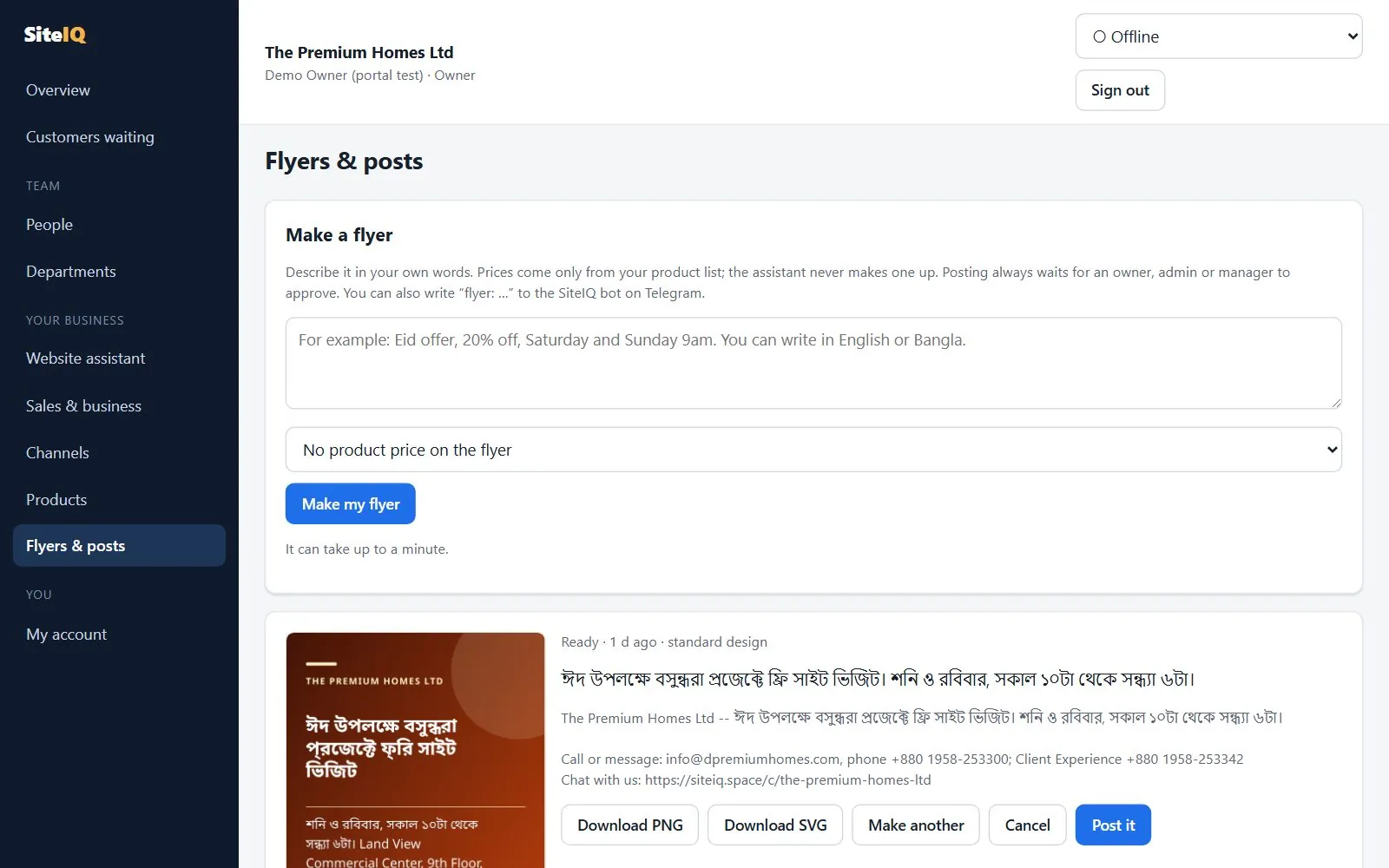
A flyer from one sentence, in Bangla or English. Available
Write one line, such as "Eid offer, free site visits Saturday and Sunday", in the portal or to the Telegram bot. SiteIQ makes a print-quality picture with your real contact details. A price appears only if it is in your product list, and every number on the flyer must come from your words or your business details.
Download as PNG or SVG
Post to your Facebook Page as an image, after an owner, admin or manager approves it Needs Meta approval
Bangla text drawn correctly, with bundled fonts
Flyers and posts in the portal.
BanglaEnglish
Being honest
What SiteIQ does not do yet.
So you don't have to ask. None of these are available today, and we don't promise dates.
Channels and apps: not available yet
Email as a channel
A mobile app for your team (the portal works in a phone's browser, and alerts come on Telegram)
Bulk WhatsApp messages or campaigns
Business tools: not available yet
Live online payments for a business before its own EPS merchant account is approved (test mode until then)
Shopify, WooCommerce or Zapier connections (products are added in the portal or when we set you up)
Detailed reports, pipeline boards and satisfaction surveys (today: live counts and lead scores)
Card payment for SiteIQ credit (top-ups are by bKash or bank transfer, checked by a person)
See it on your own business.
We can show SiteIQ on a demo business, then set it up with your website and product list in a pilot.



From a Facebook comment to a paid order, with you in control. Available
Tag your Facebook posts with the products they show. When someone comments "price?" or "XL ache?", they get one private Messenger reply with the price from your product list and the sizes in stock Needs Meta approval. When they want to buy, the assistant sends a private order page: they choose the size and quantity, see the total, and pay online or choose cash on delivery.