
From your website to your first customer reply.
Create an account and set it up by chatting on Telegram, or ask us to set it up with you. Day to day it runs in a web browser and on Telegram, so your team does not need technical skills, but it does need your information and a little of your time to check the answers.
1. Create your account
Free, with ৳500 of credit. No card, no contract.
2. Teach it your business
The SiteIQ assistant on Telegram asks about your business, reads your website and takes your product list.
3. Check the answers
Ask it what your customers ask. Correct anything in your own words; it is used from then on.
4. Go live
Add the chat to your website, connect Messenger, Instagram or WhatsApp, and switch it on.
-
Share your business
You provide: your website address, the questions customers ask most, and your products, projects or services with their prices. Items without a fixed price are marked "price on request".
-
Review what it knows
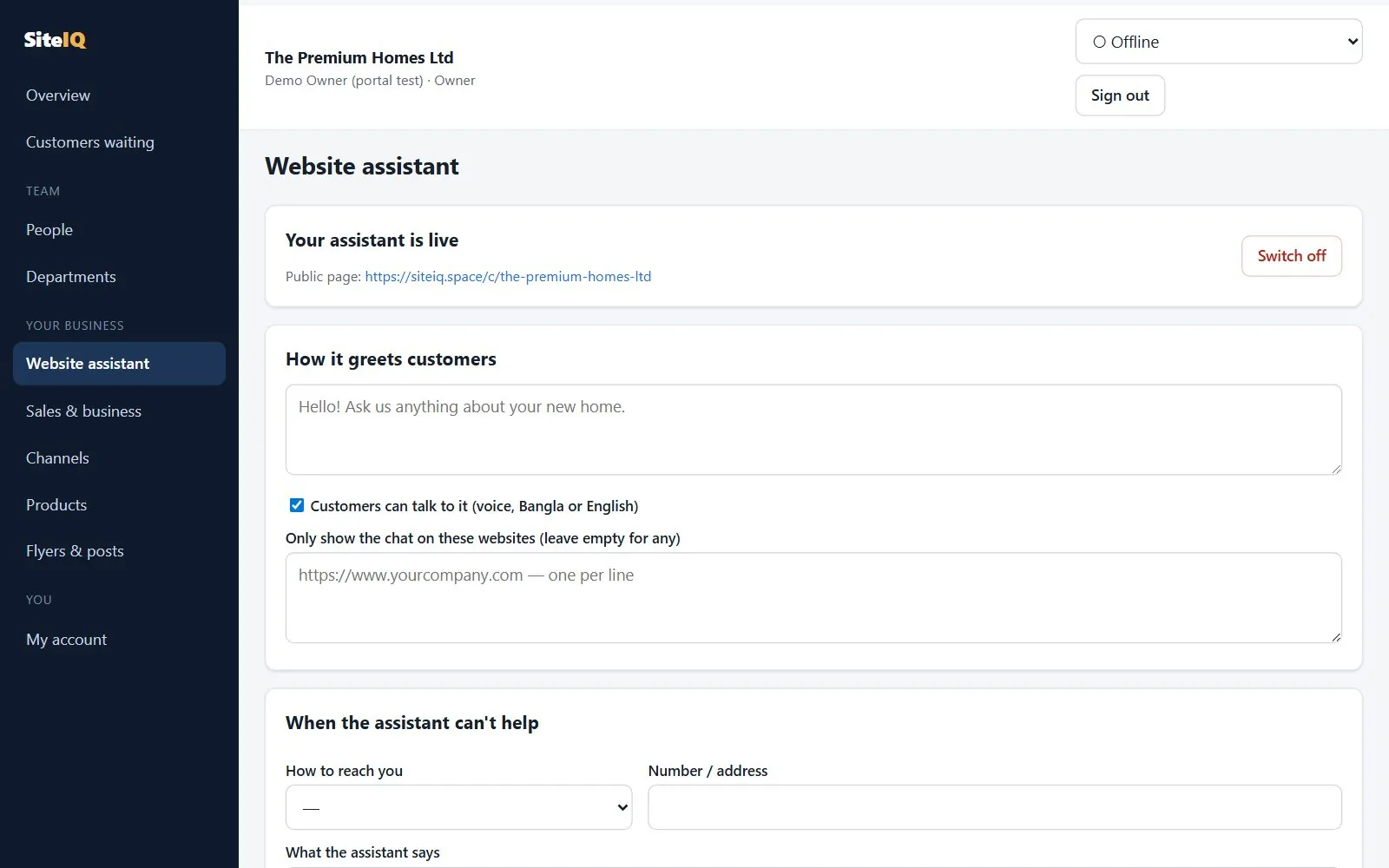
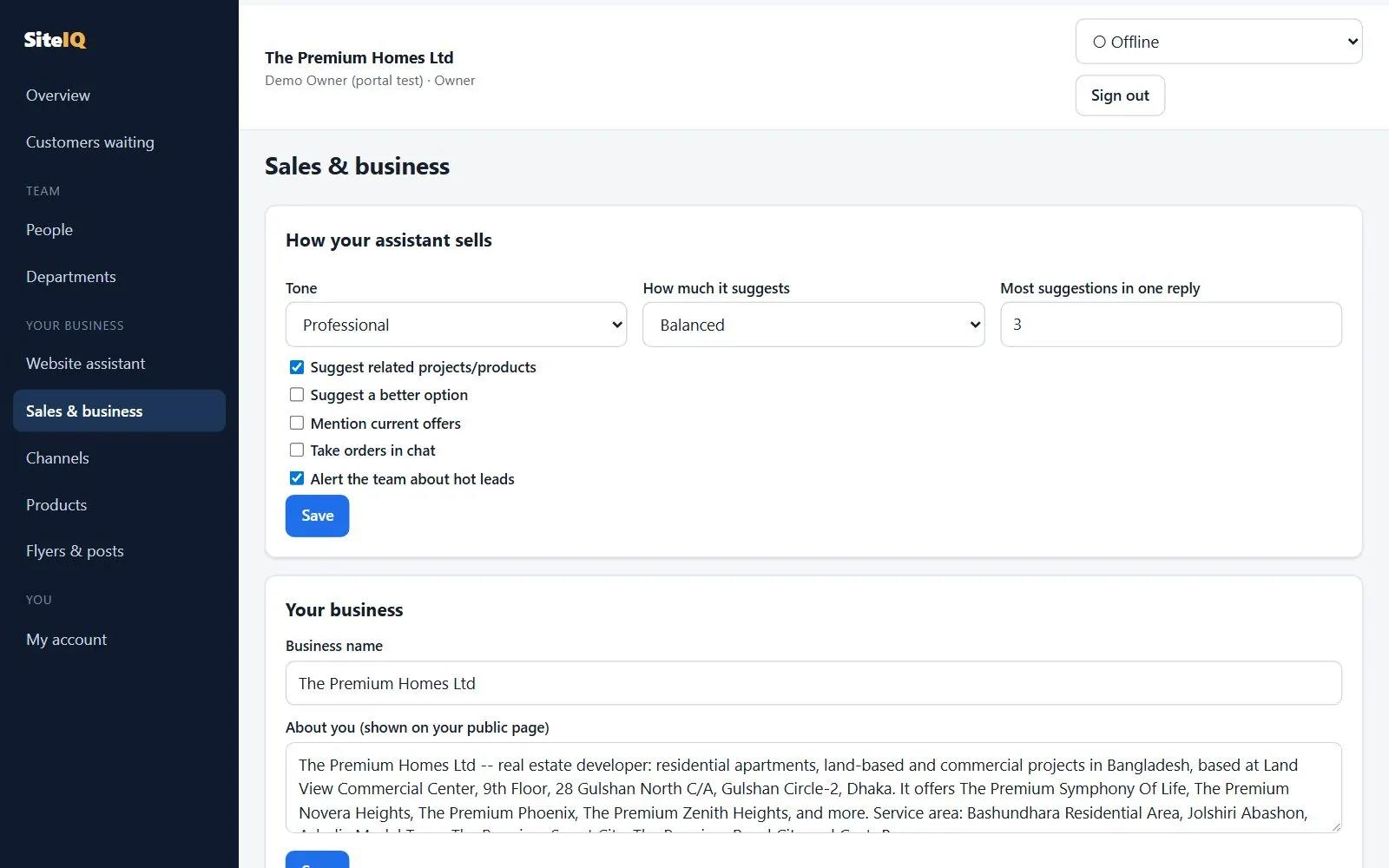
In the portal, check your business details (the assistant only says the ones you confirm), correct or add your own answers to common questions, and choose a selling style: friendly, professional or premium.
-
Set up your team
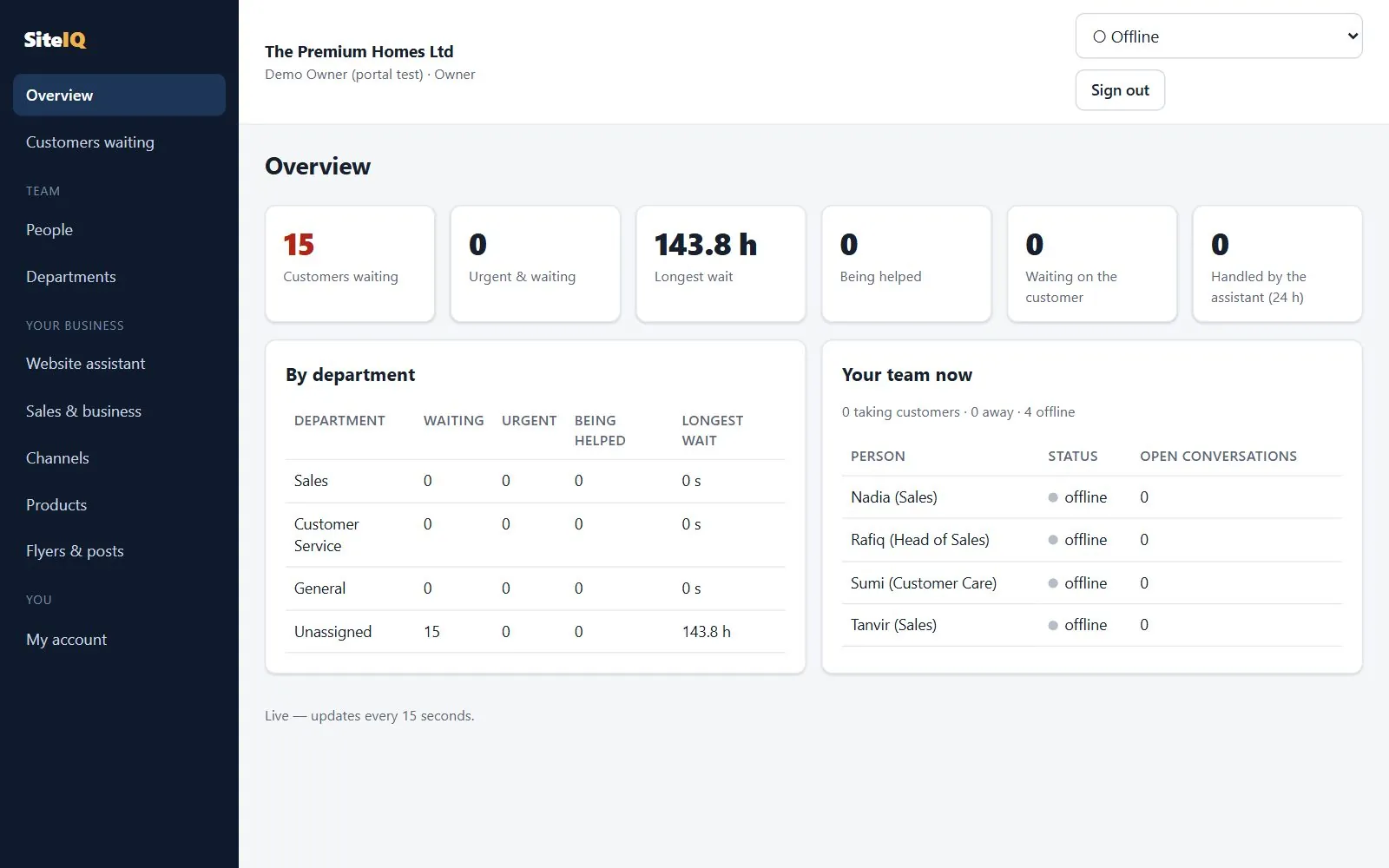
Invite colleagues by link, give each a role, and create departments such as Sales and Customer Care. Choose which hand-over reasons go to which department. Each person can link their own Telegram for alerts.
-
Connect your channels
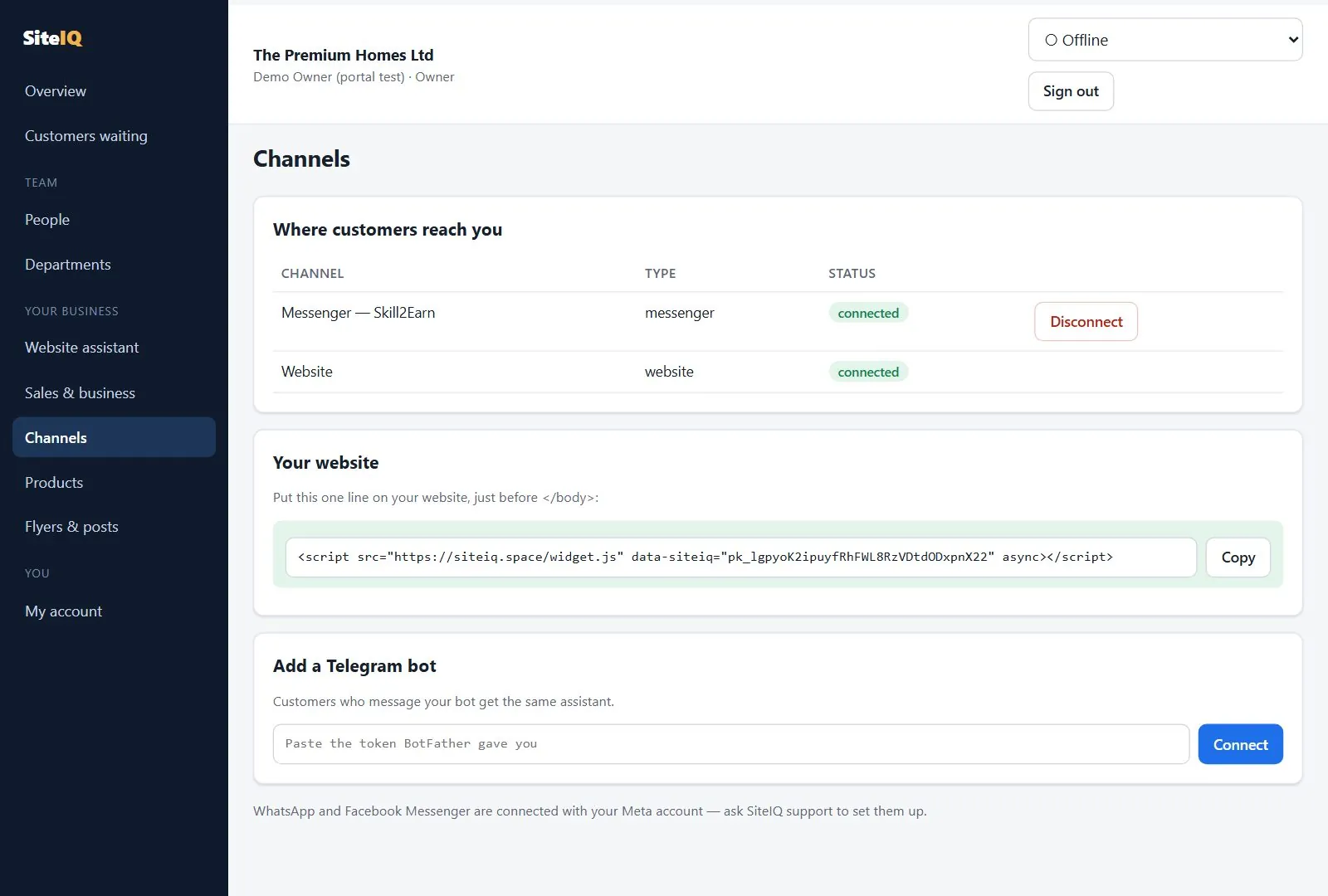
Give your web designer one line of code for the website chat, share your chat page link, and connect a Telegram bot. Messenger and WhatsApp are connected for you with your Meta account once Meta has approved SiteIQ for the public; until then they work only for test accounts.
-
Test it, then go live
Ask your own assistant the questions your customers ask, in English, Bangla and Banglish, including ones it should not answer, such as a discount. Ask for a person and check that your team gets the alert. When you are happy, the owner presses Go live in the portal.
-
Answer hand-overs and improve
Your team claims customers from the queue. When the assistant could not answer something, add the answer, and it will use it next time.
What you provide, what we set up, what needs your approval.
You provide
- Your website or Facebook Page address
- Answers to the questions customers ask most
- Products, projects or services, with prices or "price on request"
- The people who will answer customers, and their roles
- Access to the channels you want connected
SiteIQ sets up, in the pilot
- Reading your website into the assistant's knowledge
- Loading your product list and your answers
- Your departments and which hand-overs go where
- The website chat, chat page and Telegram bot
- Messenger and WhatsApp, once Meta approves
Needs your approval
- Going live with customers
- Any business detail the assistant will tell customers
- Posts to your Facebook Page
- Order, return and ticket changes proposed on Telegram
- Replies the owner assistant drafts for a customer
Where each step happens.
Real screens from the team portal. Tap any picture to see it full size.
What happens when a customer writes.
Reads the question
Bangla, Banglish or English. Is it about your business, a price, a visit, or something else?
Looks up the facts
Prices, stock and order status from your records; everything else from your website and your answers.
Answers in short lines
Polite, in the customer's language, with one question that moves them on.
Brings in your team
Bargaining, complaints and ready buyers reach a person with an alert.
rules decide, not guesswork
1. The assistant answers
It understands what the customer wants, then looks up facts in your records and your website. A price, stock level or order status is read from your records and shown exactly. The AI writes only the friendly wording around it.
2. It decides by rules, not by guesswork
The lead score, the sales stage and the decision to hand over come from fixed rules. A replayed conversation gives the same result, so every decision can be explained.
3. A person is brought in when needed
The customer goes to the right department's queue and the team gets a Telegram alert. While nobody has joined, the assistant keeps answering other questions and tells the customer their request is with the team.
4. One colleague takes over
One click claims the customer; nobody else can claim them at the same time. The assistant goes quiet. If no reply comes for 3 minutes, the customer goes back to the queue and the assistant apologises for the wait and keeps helping.
How your information is handled.
Kept separate
Each business's data is separated twice: by the application on every query, and again by the database itself (row-level security). Both layers are covered by automated tests.
Only your team
Your portal has no public sign-up. People join by an invite from your owner or admin, and their role decides what they can see and do.
Used for your customers
Your website, answers and product list are used to answer your customers. To write replies, customer messages are sent to the AI model providers listed in our privacy policy.
How a top-up works.
No card needed. A person at SiteIQ checks every payment before the credit appears.
Send the money
bKash Send Money up to ৳20,000, or a bank transfer for more.
Enter the details
The transaction ID, or a photo of the bank slip, on the portal's Credit page.
We check it arrived
A named person at SiteIQ matches the payment and approves it.
Credit is added
You are told on the portal, Telegram and by email, and every charge is listed with its reason.
Ready to try it on your business?
Request a demo and we will walk you through each step on a real example.